
By capability
Timesheet software for teams
Capstan's Timesheets & Projects module logs time against projects and tasks, submits and approves it on your own weekly, fortnightly or monthly cadence, and reports effort, compliance and billable amounts where rates are configured. There is no timer and no activity monitoring: entries are declarative and approval is the control. It is one of the fourteen modules, included on every plan and free for up to twenty people.
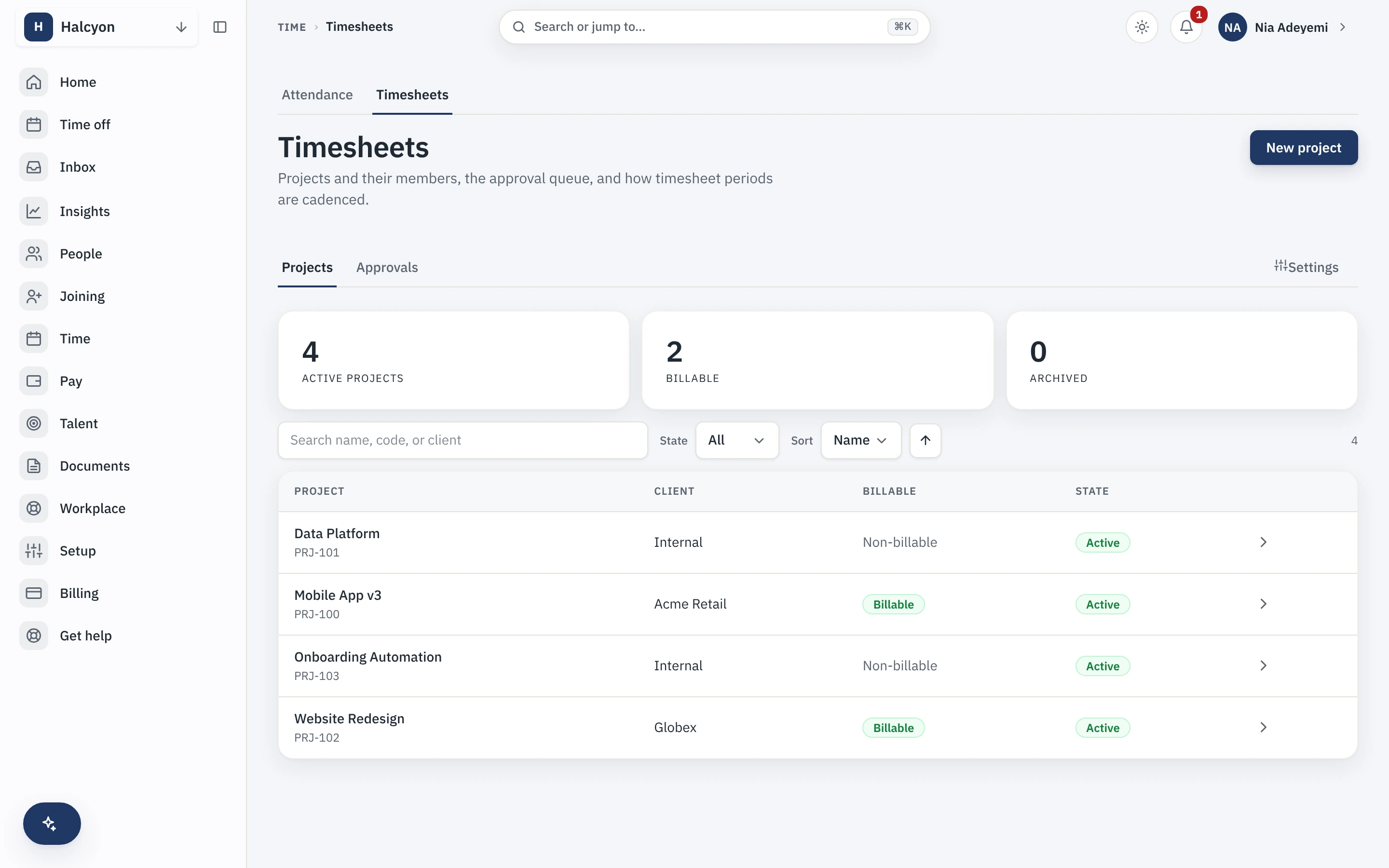
A conceptual map of the Timesheets & Projects module, with a real capture from the demo workspace. Prices sit on the pricing page and nowhere else.
Projects, their billable status, and the approval queue
Time is logged against projects with a client and a billable flag, and submissions roll up on the cadence you set, into an approval queue that locks the period once signed off.
Time logged where your people records already live
A services team logs hours against client projects, and because the timesheet reads the same system that already knows who works where, the period view marks non-working days and approved leave so nobody books time on a holiday. Utilisation and billable reports come out of that same system rather than a spreadsheet kept beside it.
- Log time against projects and tasks, submit on a weekly, fortnightly or monthly cadence.
- The period view reads the core holiday calendars and leave ledger, so leave and holidays are already marked.
- Approvals lock the period; reopening is reasoned and audited, not silent.
What it deliberately does not do
It accounts for time; it does not plan work, monitor people or bill clients, and it says so up front so the edges are a feature rather than a surprise.
- Not a project management tool: no boards, dependencies, Gantt charts or capacity forecasting.
- No timer and no activity monitoring: entries are declarative and approval is the control.
- It does not invoice your clients; the reports export into the billing tool that does.
It reads the core, and contractor time where it is enabled
People and their employment come from the core directory, approvals run on the core workflow engine, and reporting registers with the core report registry, so a manager sees only the slice their permissions allow. It needs no other module. Contractor time can be logged the same way while Contractor Management is enabled.
- Shares the core directory, approvals and reporting rather than duplicating them.
- Contractor time can be logged while Contractor Management is enabled.
- The full module detail, with its published limits, is on the Timesheets & Projects module page.
Timesheet software questions
What is timesheet software?
Timesheet software records where working time went, against projects and tasks, so a company can account for effort and, where it bills clients, for billable hours. Capstan logs time against projects and tasks, submits and approves it on your own weekly, fortnightly or monthly cadence, and reports effort, compliance and billable amounts where rates are configured. A team that never touches rates gets clean internal effort tracking instead.
Is the timesheet module included for free?
Yes. Timesheets & Projects is one of the fourteen Capstan modules and every module is included on every plan, the free one included, at no extra charge. A workspace of up to twenty active employees runs it on the free plan. Past twenty people you move to a paid plan, which lifts the headcount cap and changes nothing about the software.
Does it know about leave and holidays?
Yes, because the time logs live where the people records live. The period view reads the core holiday calendars and the leave ledger, so non-working days and approved leave are marked and nobody quietly books eight hours on a public holiday. Approvals roll up on the configured cadence and lock the period; reopening is reasoned and audited rather than silent.
Does it monitor or track my employees?
No. There is no timer and no activity monitoring of any kind: entries are declarative, and approval is the control. It is not a project management tool either, so there are no boards, dependencies, Gantt charts or capacity forecasting; it accounts for time, it does not plan work. And it does not invoice your clients, because Capstan is not your billing system; the reports export into the tool that is.
Start free for up to twenty people, and log your first project hours the same day.